Large media migrations
Planning and leading migrations between media platforms, including more than 1 PB of video assets, and checking that media, metadata, and artwork arrive intact.
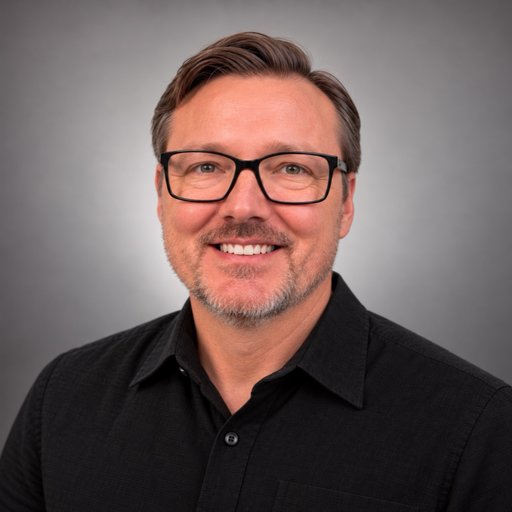
Senior Media Systems Engineer
Workflows, integrations & migrations
Orange County, California
I design systems and processes that move, organize, and deliver media, so technology supports the creative work instead of complicating it. For over 20 years I’ve worked in video, first making it, then building and integrating the systems that support it.
What I enjoy most is understanding how each team thinks (media, web, IT, leadership) and building what connects them, so content flows from capture to archive without someone doing it by hand. Media shapes people, and the systems behind it should be built with care.
What I do
Planning and leading migrations between media platforms, including more than 1 PB of video assets, and checking that media, metadata, and artwork arrive intact.
Implementing and running DAM systems and metadata structures so teams can organize, search, and publish video and audio from production through archive.
Scripts, tools, and pipelines that take repetitive manual steps out of production and publishing, so video reaches web, mobile, and TV apps with minimal hand work.
Connecting media platforms, storage, and websites so content moves reliably from ingest to distribution, and building the web and app pieces that deliver it.
Tools and platforms I've worked with: Python, PostgreSQL, REST APIs, FFmpeg, MediaInfo, cloud functions, cloud storage & CDN (Akamai), Umbraco CMS, JW Player, YouTube, Sardius, Transistor, Reach Engine, Azure DevOps, Microsoft Teams, low-code/no-code tools, Bash, AppleScript.
Experience

Help organizations manage and integrate large media libraries by building automation workflows, system integrations, and infrastructure that supports the full lifecycle of digital media.

Developed web and media-platform solutions across two major initiatives
Developed full-stack solutions for media content management, optimizing web and mobile applications while integrating third-party services and streamlining analytics for informed decision-making.
The church started a new website from scratch in Umbraco. They needed analytics on every part of every page, without a developer stepping in each time.
On the old CMS, Composite C1, analytics were hard-coded. Each one had to be requested and needed development work. The data was defined in Universal Analytics, and the setup was custom for each object. The church also chose not to migrate from that system.
They asked me to build the elements and processes so Google Analytics would be included in every object automatically.
I set up Google Tag Manager and GA4 for the new site. Then I learned the new CMS and built tracking into the components themselves, with an analytics settings panel, data attributes, and link handlers. Every block an editor placed on a page could be tracked without extra work, and the data followed one uniform schema instead of a custom one for each object.
Now, when a content manager adds or changes a page or a component, the analytics follow with it, in a lot more detail than the old site had. A content manager can customize the data or turn analytics off in the panel, and it updates instantly.
Reports and Insights could measure the new site from day one. Editors got analytics on their content without writing any code. Later I built on the same library to track video plays in JW Player and YouTube.
Supported and co-led the Video Infrastructure team in implementing media workflows and systems. Actively contributed to planning and executing migrations and infrastructure projects, ensuring they met organizational needs. Served as a technical mentor, resolving complex issues and providing hands-on support to team members
Developed and maintained backend infrastructure to support media workflows, integrating third-party tools and enhancing systems to improve content distribution, analytics, and team collaboration
Saddleback's podcasts kept growing, but our in-house system couldn't keep up.
Podcasts ran on Media Manager, the system we'd built ourselves. It was older and carried technical debt, and the development team didn't have much time for it. More podcasts kept getting added, and they were getting hard to manage.
I led the search for a new platform. One of the teams recommended Transistor.fm, and after comparing a few options we chose it. I learned how the platform worked, moved every podcast over from the old system, and trained each brand manager on the new tools.
Transistor made distribution simple. Apple Podcasts was and still is the main platform, and now we also reached Spotify, Google Podcasts, Amazon, and others. I built a process that pulled Transistor's analytics through its API and organized it into tables, so the Reports and Insights team could use it in Power BI. We also connected Apple, Spotify, Google, and Amazon so we could see listener analytics from each platform.
I connected Transistor's API to the rest of Saddleback's systems. Staff could embed podcast players, for the latest episodes or a single episode, in our CMS, Composite C1. One podcast taught through books of the Bible, and listeners wanted to look up a book like Matthew and find every teaching on it in order. Podcasts are linear, so I built a tool in Composite C1 where staff could create a group, such as a book of the Bible, with a title, description, images, and a short tag. Each episode was tagged when it was uploaded, and the website and mobile app pulled episodes from Transistor and showed them in those groups. That meant updating the website and the app to use the new source, and the app got a version update so it worked on newer devices.
It was a lot of work just to change the podcast source, but it paid off. Podcasts were much easier for the brand managers to manage, and they looked nicer. The wider distribution reached more listeners, and we had much better analytics.
Staff across many teams didn't know who to ask when they needed an event webcast or recorded.
The church was growing, and more teams wanted their events streamed or recorded. About three rooms could webcast and record, and there were studios and other spaces for video. But each team had its own form, and different teams managed different rooms. Staff had no idea which form to use or who to talk to.
I built one webcast request form with Microsoft Forms and Power Automate. The requester only had to say what they wanted. The flow got the request to the right place without them needing to know which team handled which room.
When someone submitted a request, they got an email right away saying it was in progress. The flow figured out which team managed that room and sent approval cards in Microsoft Teams, first for using the room and then for the webcast itself. Once a team decided, the requester was updated automatically and everyone had the same information. After approval, the flow created Azure DevOps tasks for the broadcast team's webcast lead to set up and run the event. If the webcast needed to appear on a church webpage, not just YouTube, it also created tasks for the web team.
Staff could request everything in one place without knowing which team managed what. It also improved communication between the internal clients and the teams managing the rooms and technology.
Leadership wanted to know how many people were attending an online weekend service.
At a live service, the ushers counted the people in the auditorium about 30 minutes in. So we decided to match that by counting the people who watched at least 30 minutes of the online weekend service.
At the time we were streaming through the Akamai CDN to the website, mobile apps, and three TV apps. Our TV-app vendor could show how many people viewed a video, but it didn't have the tools for this custom 30-minute metric. I was asked to find a solution and build it with Azure's low-code/no-code tools.
I found that Akamai's server logs recorded how much each unique IP address was watching. I used Power Automate to trigger and orchestrate the process so the data was always delivered. It pulled the Akamai logs from an FTP server into Azure Storage, then a C# Azure Function counted, per day, the unique IP addresses and devices that watched 30 minutes or more. The results went to an Azure Storage table. From there, the Reports and Insights team pulled the data into a Power BI dashboard so leadership could see recent attendance, and the data team moved it into a proper data warehouse.
This was the first time online weekend attendance, using the 30-minute metric, could be measured, and it ran automatically every day for years.
Filming, editing, asset management, and distribution for live events and marketing: studio shoots, jib operation, on-set digital imaging technician, transcoding, editor workstation support, and delivery for web and DVD.
Camera, jib, and dolly operation on single- and multi-camera projects; teleprompter setup and operation; directing and switching live and web events; and consulting on video system setups and workflows for several organizations.
Selected projects
For small video teams setting up their first shared storage, no IT background needed: why the network matters as much as the storage, storage tiers, workflow, training and support, how to buy, and how to work out how much capacity you need.
Internal consultant and implementation lead for replacing Saddleback's legacy media-management platform with Sardius.
Moved the site from C1 CMS to Umbraco Cloud and rebuilt the front end from React to Razor. Used Umbraco to manage podcast series, metadata, and images; built backend APIs combining Umbraco content with Transistor episodes; responsive design and analytics.
A pilot to see whether AI tools could co-produce a podcast in a few hours: an audio show built from public-domain texts. Grok for research and metadata, Gemini for the show logo, ElevenLabs for the announcer intro, and NotebookLM to summarize and generate dialogue. Still a lot of copy-paste between tools, but it showed how much faster research and production can go.
Custom tools I built for specific projects and workflows. The code is on GitHub.
A small Flask REST service that uses FFmpeg to generate trick play (scrubbing thumbnail) assets for an HLS stream, based on Roku's trick play spec.
View on GitHub →A script that processes tasks from the Just:In capture software by Tools On Air, run from Just:In's Scripts folder.
View on GitHub →A command-line tool that creates calendar events (.ics files) to schedule automated recordings in Just:In, with one calendar per capture channel.
View on GitHub →How I got here
I started on set, at live events, and in the edit bay. As the systems and workflows got more complex, data was everywhere! Video files were everywhere! They took forever to move from system to system, if they were even formatted correctly. FileMaker Pro, AppleScript, and Bash scripts only went so far.
Then one boring day a co-worker encouraged me to play with Python and PostgreSQL. These tools brought hope in the mess! Then came REST APIs, FFmpeg, MediaInfo, and more, and I could finally start connecting the disparate systems.
With the right tools in hand, I started looking at the whole picture: capture, storage, the MAM, transcoding, approvals, delivery. Every system worked fine on its own. The trick was getting them to talk to each other.
This enabled me to explore cloud functions, cloud storage and CDNs, and low-code tools. Then I started building the destinations too: websites, APIs, and mobile apps that deliver the content. The best part is seeing videos arrive at their destinations with minimal human intervention.
Media shapes people, and the systems behind it decide how far it travels. The best ones are built with clearer tools, less guesswork, and media that shows up where people are. This makes media stewardship simpler and more effective... and that is magical!
Education & certifications
Bachelor's degree, Communication and Media Studies
The story behind it